
How Vitalize Made Javascript Dates 10x Faster
Temporal saved our sanity when it came to dates in Javascript.

Working with dates in Javascript appears simple on the surface, but real world scheduling exposes its limits quickly. At Vitalize, we manage staffing across entire hospitals, and hospital calendars diverge from standard ISO rules in significant ways.

A hospital day runs from 07:00 to 31:00. A shift from 1 a.m. to 10 a.m. on November 4th is considered part of November 3rd. Each hospital defines its own week start, weekend boundaries, lunch break rules, and scheduling period length. And that’s before you even get into date operations: subtracting lunch breaks, generating shifts from recurring patterns, or classifying day and night shifts becomes very complex.
When we first built Vitalize, we used Dayjs. Beyond the countless timezone bugs that is has when doing math, Dayjs applies timezones as a global patch. That causes all sorts of issues on the server; if it’s not scoped correctly, multiple requests from different hospitals can easily end up with incorrect calculations.
Temporal offered a way out of that complexity. The ZonedDateTime (ZDT) API provides precise timezone logic, predictable math, and a standards driven design. Unfortunately, only Firefox has implemented it to date. Luckily, there is a package temporal-polyfill which does a great job of following the spec with a small bundle size (20kb).
To understand the impact, we built benchmarks comparing Day.js and Temporal side by side. The pattern was clear right away: Temporal ran dramatically faster and produced correct values across daylight savings transitions, while Day.js struggled at scale.
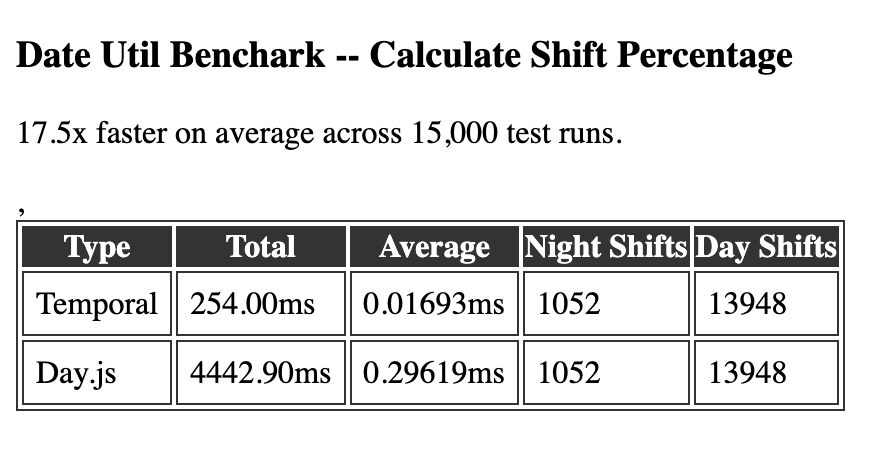
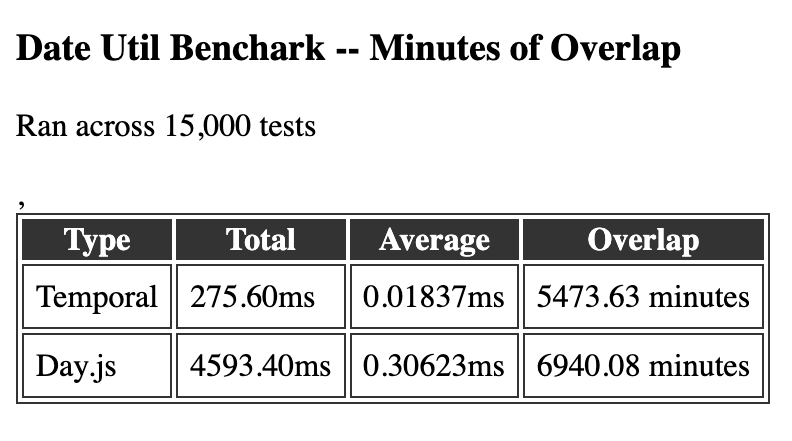
Moving an existing system to Temporal is not a drop in replacement. ZDT was a lot more verbose, and we’d gotten used to the DX of Day.js (which, honestly, is pretty fantastic).
To handle all the scheduling rules a hospital might have, like when the weekend starts and ends or what day the week begins on, we had a pattern called DateFactory. It took in a hospital and returned a class where you could initialize Day.js instances with various formatted strings and perform all the math correctly according to that hospital’s settings.
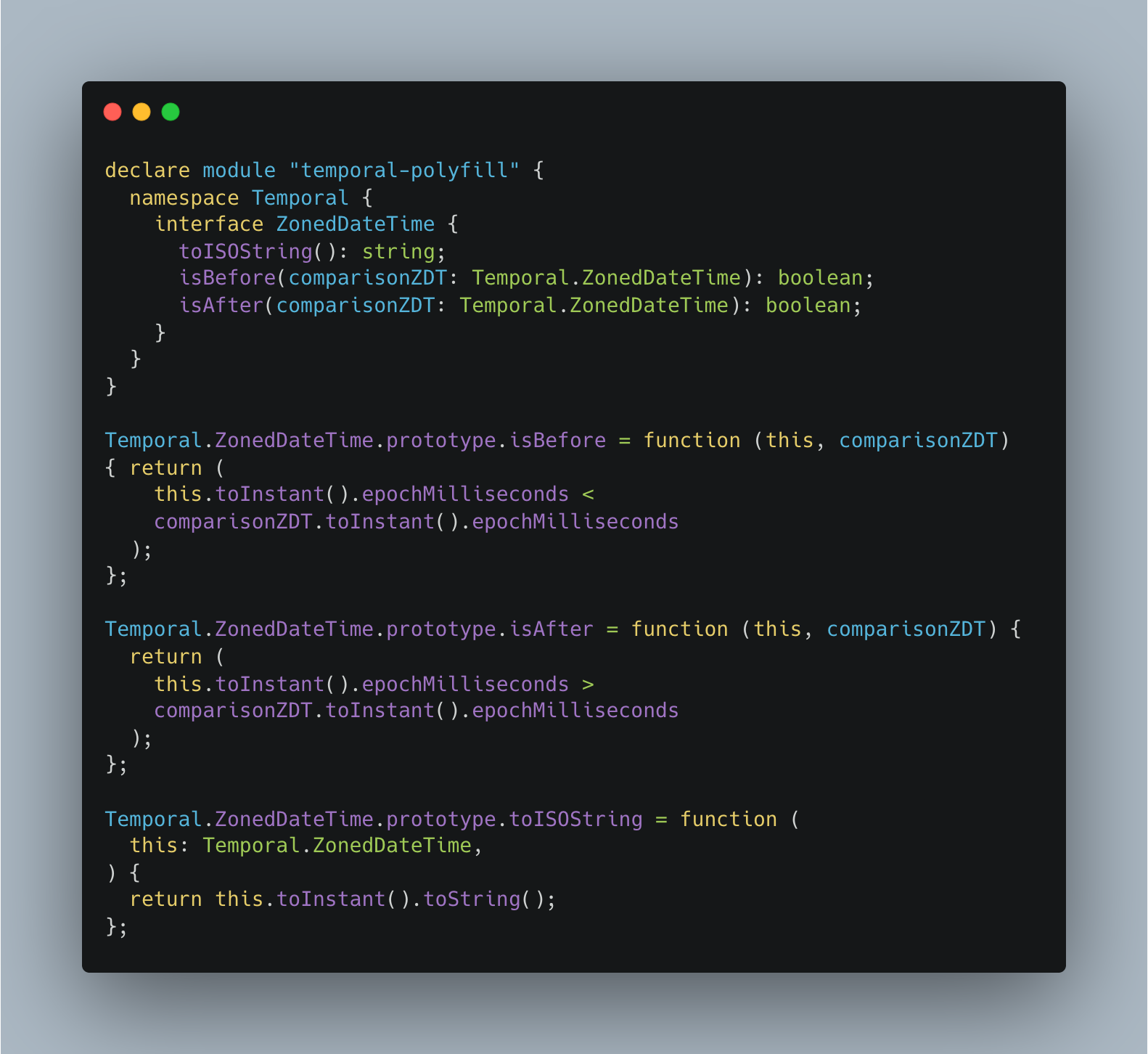
To bridge the difference, we extended ZDT instances with familiar Day.js style helpers like .isAfter(), .isBefore(), and .toISOString(). The goal was simple: keep the performance of Temporal without giving up the DX our engineering team relied on.
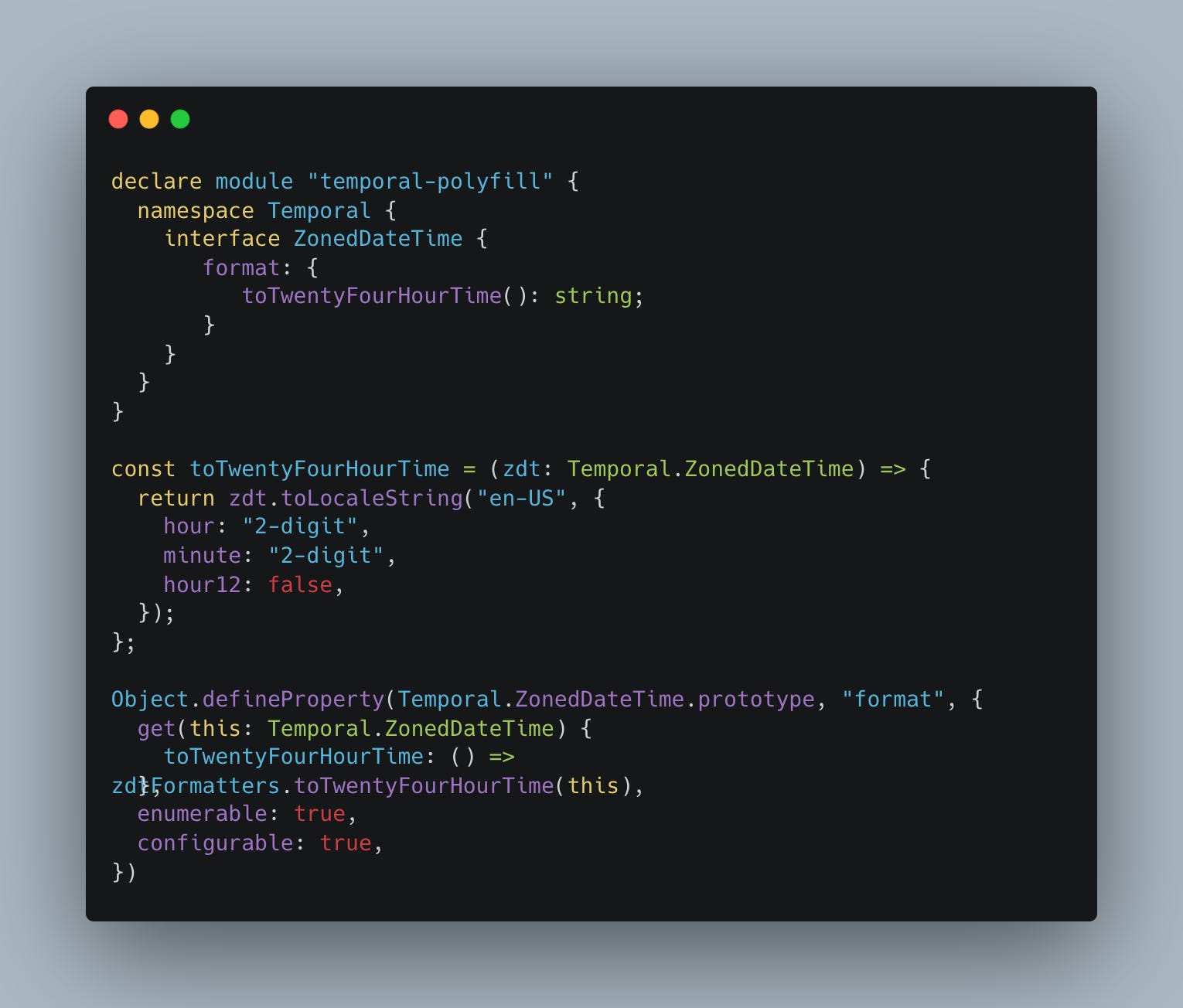
Formatting got the same treatment.
Rolling it out from there was easy - we migrated parts of our app one by one. Every area that switched to Temporal saw 10x+ performance gains.
We still appreciate the simplicity of Day.js formatting, but Temporal has proven to be a better long term foundation. After 6 months of production use, we’d recommend using Temporal over JavaScript Dates any day.
 | A guest post by
|